

Import
Our import feature makes it easy to add multiple model trains to Yard Tower at once. This page explains how to use the import tool to do so.
Before you start
Section titled “Before you start”To get started, you’ll need an empty spreadsheet in a program such as Microsoft Excel or Google Sheets.
Import items
Section titled “Import items”There are several ways to add items to Yard Tower. Uploading a CSV file is a quick way to import up to 200 items at a time. This process consists of two steps. First, prepare a spreadsheet outside Yard Tower and save it as a CSV file. Then use the import tool to add your model trains to Yard Tower.
Download an example CSV file
Section titled “Download an example CSV file”You can download an example CSV file and use it to import your collection. When using this example, keep our guidelines for special fields in mind.
Prepare your file
Section titled “Prepare your file”Follow these steps to prepare your file for import.
- Create an empty spreadsheet in a program such as Excel or Google Sheets.
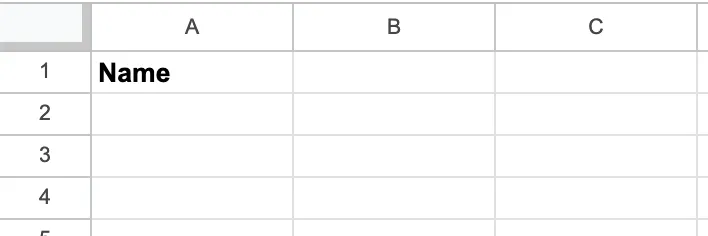
- Create a column for Name.
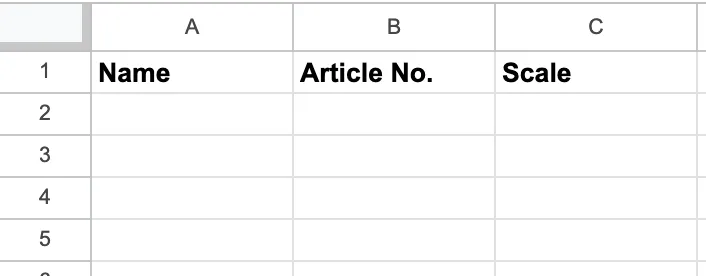
- Next to the Name column, add the Article No. and Scale columns.
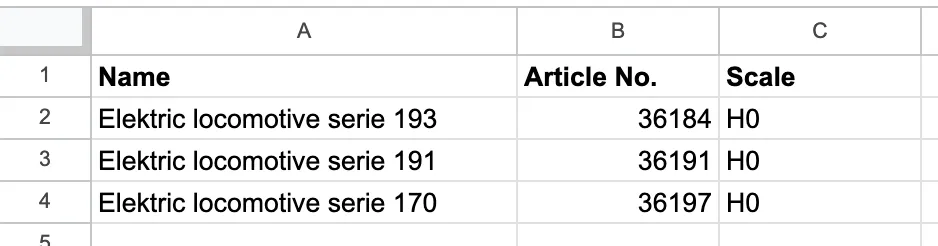
- Add your model train information to the relevant fields in the spreadsheet.
Save the file in CSV format. You can usually find this option in the File menu under a name such as Export as .CSV or Download as CSV. The exact name may vary between spreadsheet programs. If you use a different file type, we cannot import your file.
Your CSV file is now prepared and ready to import into Yard Tower.
Import your file
Section titled “Import your file”Follow these steps to import your items into Yard Tower.
- Go to the Collection tab in the navigation bar.
- Click the Add item button on the left.
- Click the Import items button.
- Click Choose file and select the file from your computer.
- Click the Continue to review button to check the fields in your file. If a field contains an incorrect value, you’ll see a notification. In that case, adjust your CSV file so that the field is correct. Follow our guidelines for special fields.
- Click the Import button to import your file.
Once the import is complete, you can view your model trains in Yard Tower.